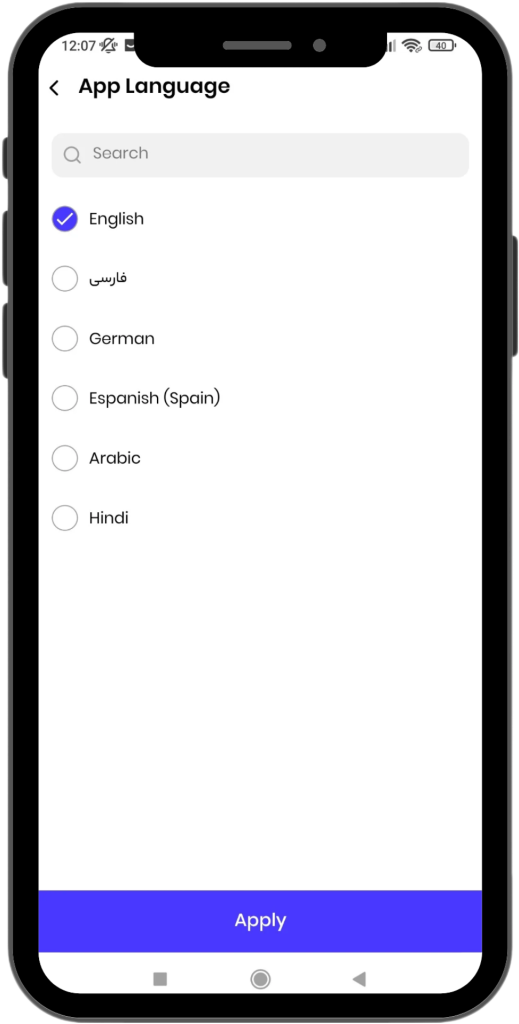
Switching the Language in the App
To Change the Language in the App, Follow These Steps:
Step 1: Open the Menu
- Click on the menu icon located at the top of the screen.
Step 2: Access Settings
- From the opened window, select the Settings option.
Step 3: Select the Language Option
- In the Settings page, click on the Language option.
Step 4: Select Your Preferred Language
- Choose your preferred language from the available options.
Active Languages in the WODEX App
The WODEX app currently supports the following languages:
- English
- Persian
- German
- Spanish
- Arabic
- Hindi
By following these steps, the app language will be changed to your selected language.
If you have any questions or encounter any issues, our support team is ready to assist you:
Wodex League® 2025 Rulebook
Wodex League® is an annual athletic event designed to determine the fittest athlete of the year. The...
CrossFit Workout: Sunday, March 09, 2025
This for-time workout emphasizes speed, power, and endurance.Thrusters,...
Home Workout: Thursday, March 06, 2025
This full-body EMOM improves lower-body endurance, upper-body strength,...
CrossFit Workout: Thursday, March 06, 2025
This strength and conditioning WOD challenges barbell cycling,...
Post Views: 632