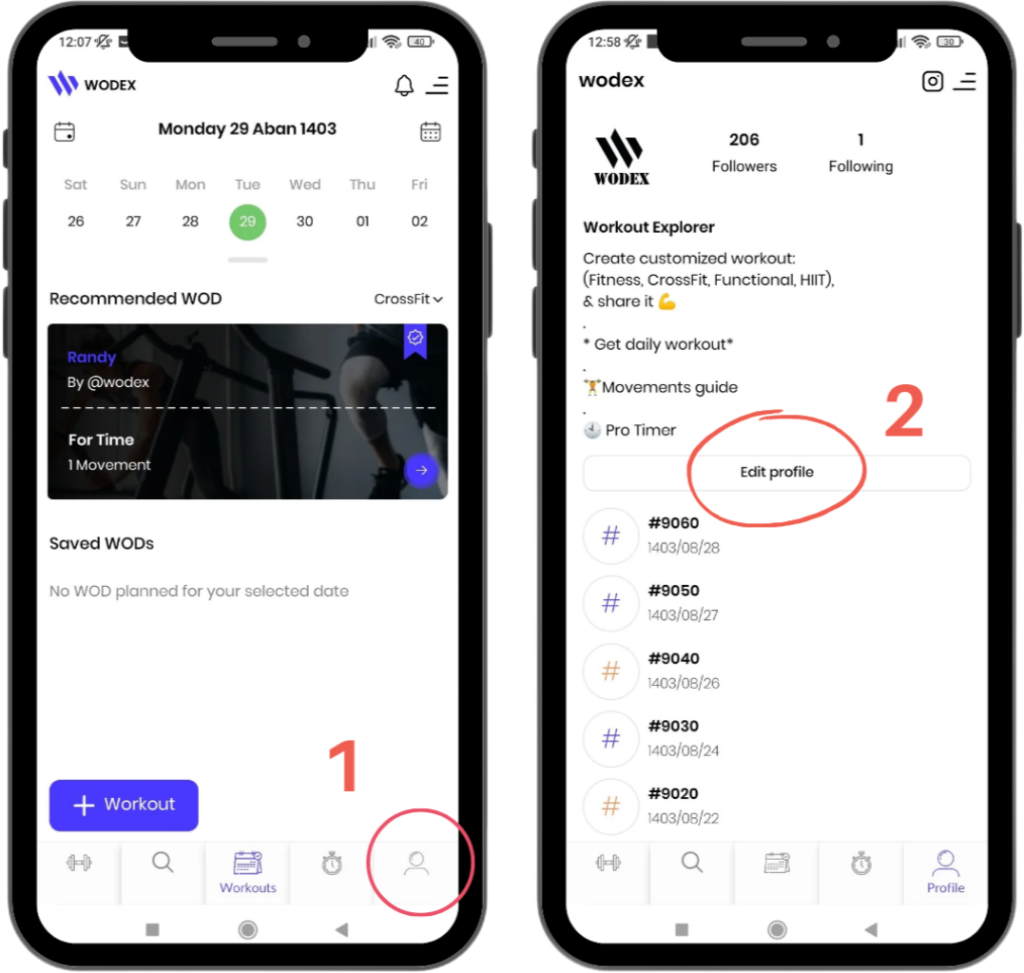
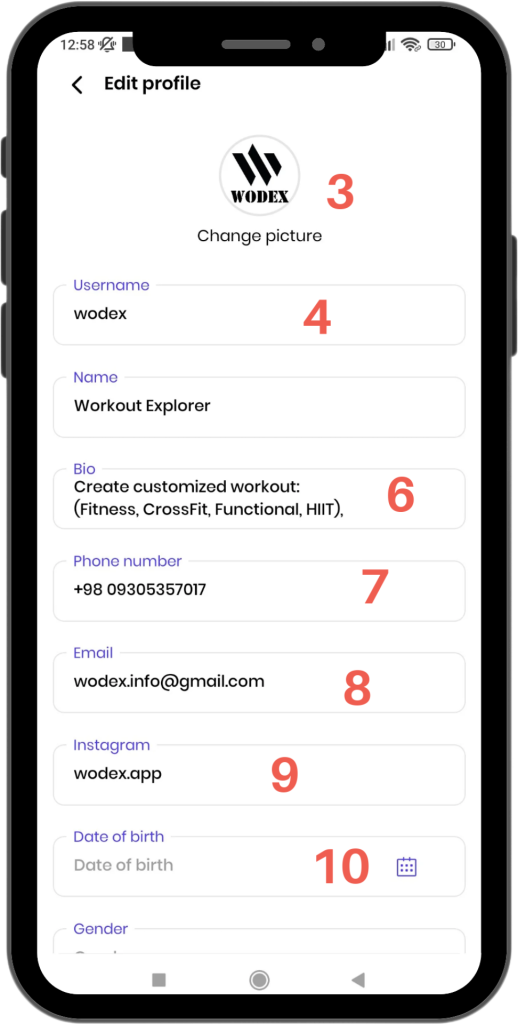
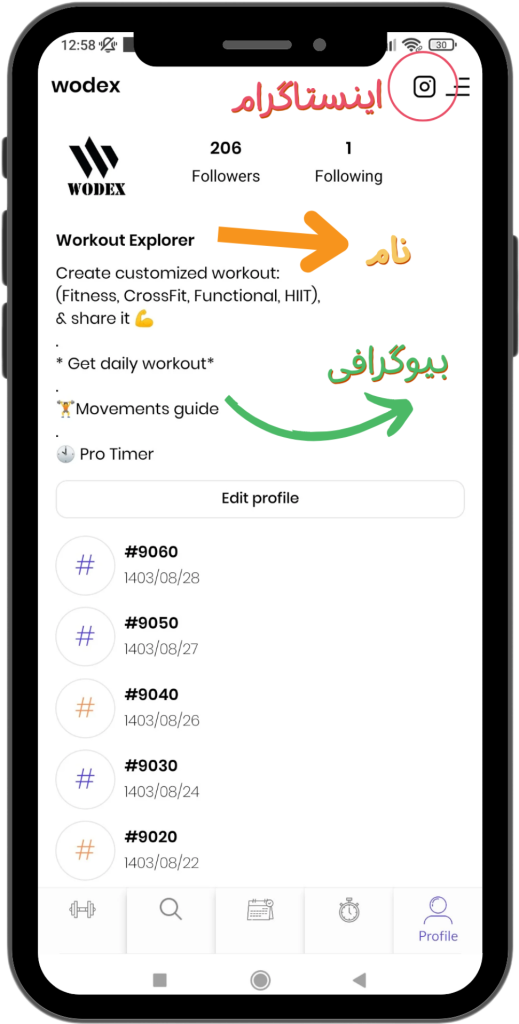
Editing Your Profile allows you to update your personal information and what is displayed to others. To edit your profile, follow these steps:
3) Change Profile Picture
4) Change Username
5) Change Name
6) Add Bio
7) Change Phone Number
8) Change Email
9) Add Instagram Link
10) Add Date of Birth
Note:The information entered in your profile should be accurate and valid. This helps other users get to know you better.
فروشگاه وادکس، مرجع خرید تجهیزات تخصصی کراسفیت، فانکشنال فیتنس، HYROX، بدنسازی و آمادگی جسمانی. در این فروشگاه میتوانید انواع تردمیل مکانیکی، ایربایک، سورتمه تمرینی، جامپ باکس، سافت باکس، پگ بورد و سایر...
Wodex League® is an annual athletic event designed to determine the fittest athlete of the year. The league follows a multi-stage structure that includes both online and in-person...
Your email address will not be published. Required fields are marked *
Save my name, email, and website in this browser for the next time I comment.
Post a comment