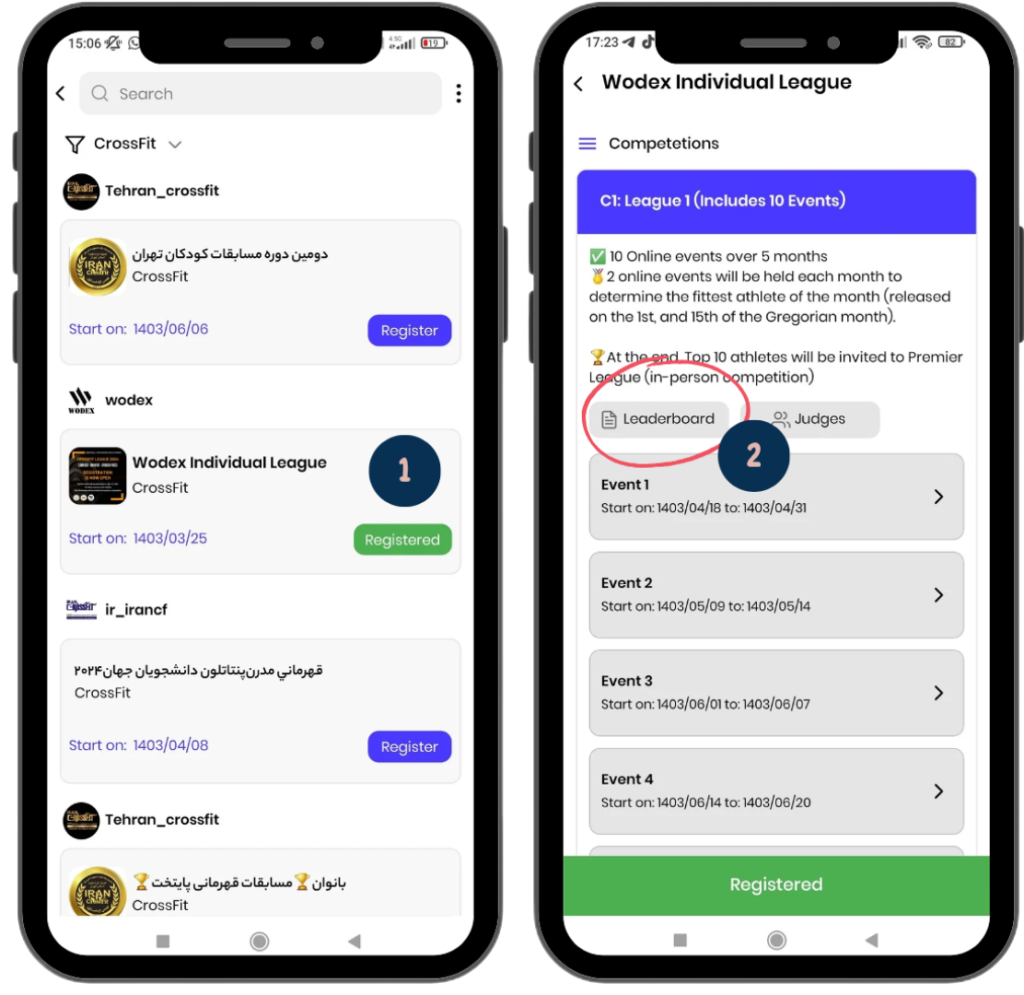
1) Selecting the Game: On the games panel, a complete list of available games is displayed. Find and select the game you’re interested in.
2) Accessing the Leaderboard: After entering the game page, click on the “Leaderboard” button to view the rankings and scores of the participants.
Next, the leaderboard will be reviewed in detail:
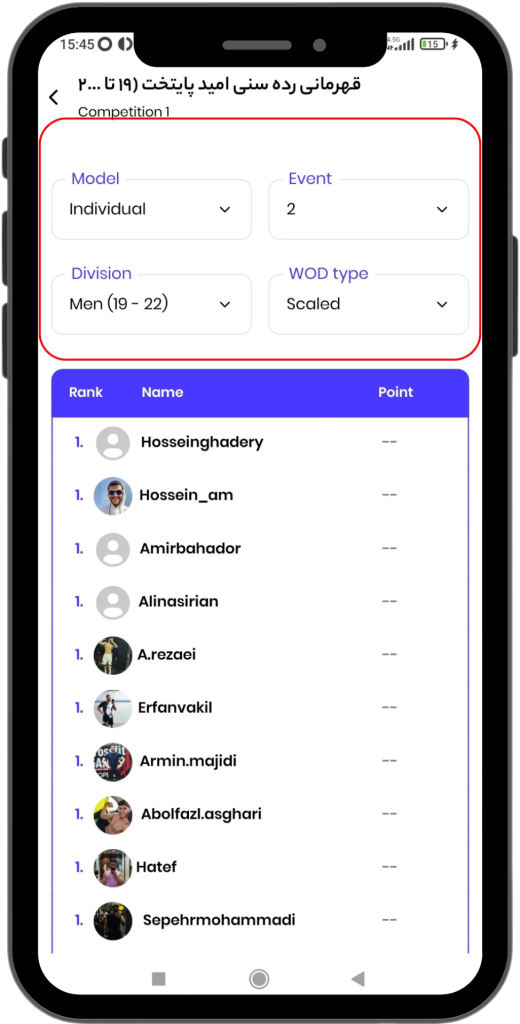
Filter Guide
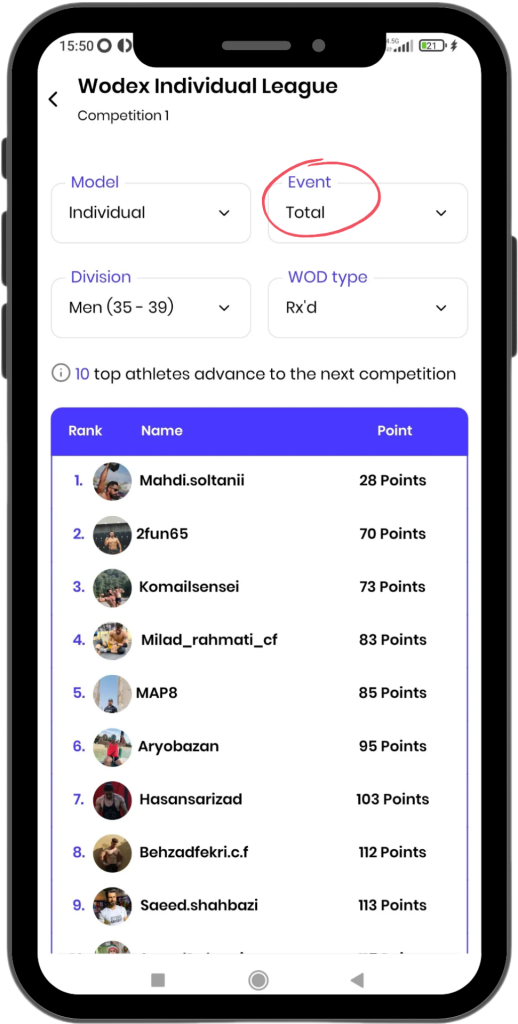
Filter Options: You can filter the leaderboard based on specific events or categories. The available filters include:
Model: Choose the type of game (e.g., individual or team).
Events: Select the event to display the scores related to that event.
Division: Sort the leaderboard based on a preferred category, such as men 12-19 years.
WOD Type: Adjust the leaderboard based on different athlete levels (e.g., RX’d or Scaled).
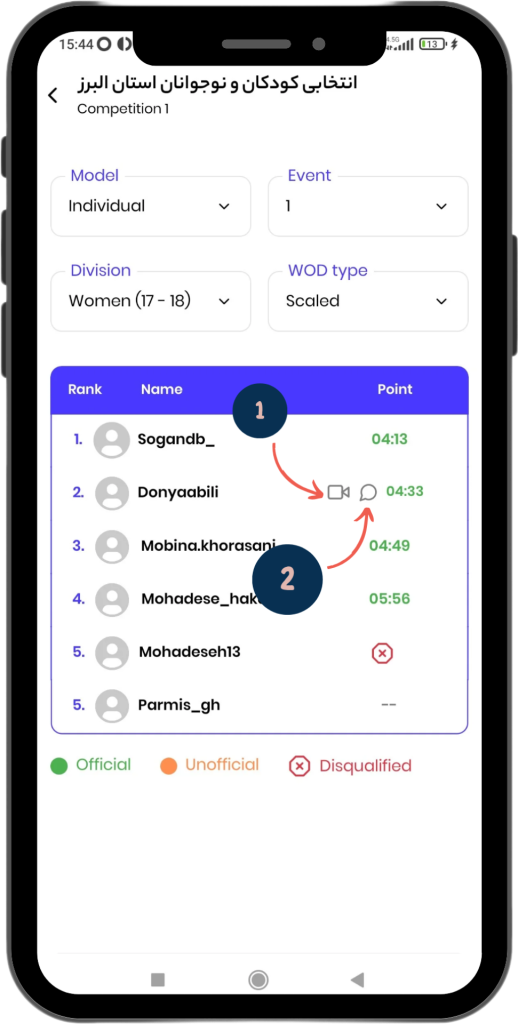
Icon Guide
Comment Icon: Athletes can click on this icon to read the judge’s report.
Video Icon: This icon indicates that the athlete has successfully submitted their video. By clicking on this icon, the athlete can view their video.
Score Display Modes
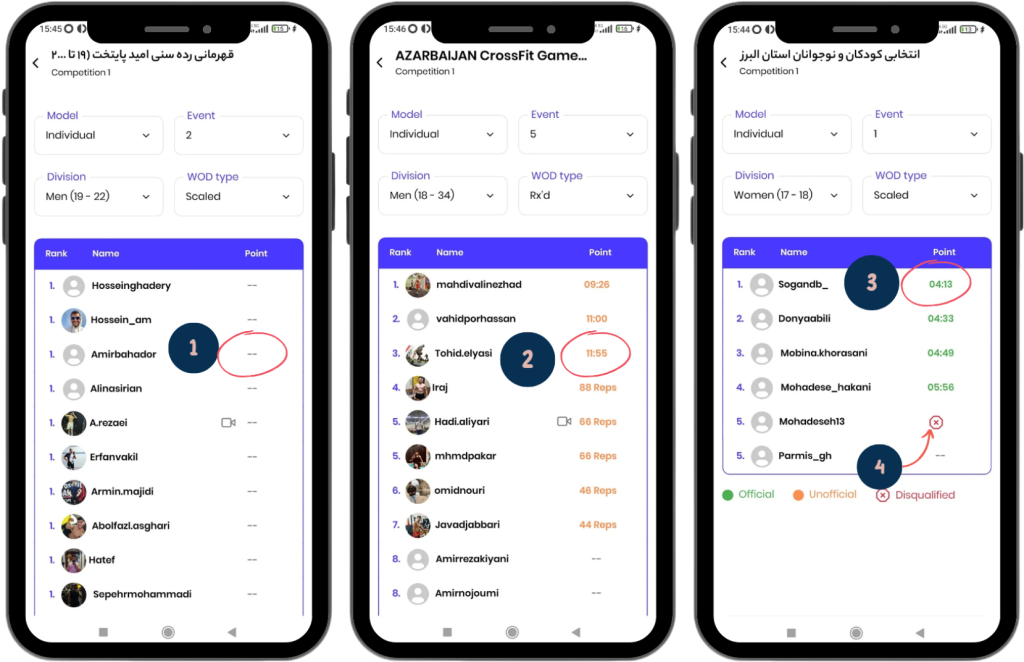
The scores on the leaderboard are displayed in four different modes:
Two Dashes (–): Scores will not be displayed until the event’s end time has passed. Instead of a score, two dashes will appear.
Orange Scores: After the event ends, the scores entered by athletes when submitting their videos are displayed as unofficial scores in orange.
Green Scores: When a judge records a score for an athlete, the score is displayed officially in green. In this case, the leaderboard will be sorted based on these scores.
Red Cross (×): If a judge disqualifies an athlete, a red cross will appear next to their name.
Total Ranks
By setting the table to “Total” mode, you can view the final results.
The scores displayed in this section represent the sum of the rankings achieved in different events.
For example, if you finish 5th in Event 1, 20th in Event 2, and 10th in Event 3, your total score will be: 5 + 20 + 10 = 35
The total ranks will be sorted based on the total scores athletes have earned.
Wodex League® is an annual athletic event designed to determine the fittest athlete of the year. The league follows a multi-stage structure that includes both online and in-person...
CrossFit Workout: Sunday, March 09, 2025
This for-time workout emphasizes speed, power, and endurance.Thrusters, a combination of a front squat and push press, engage the entire body with a focus on...